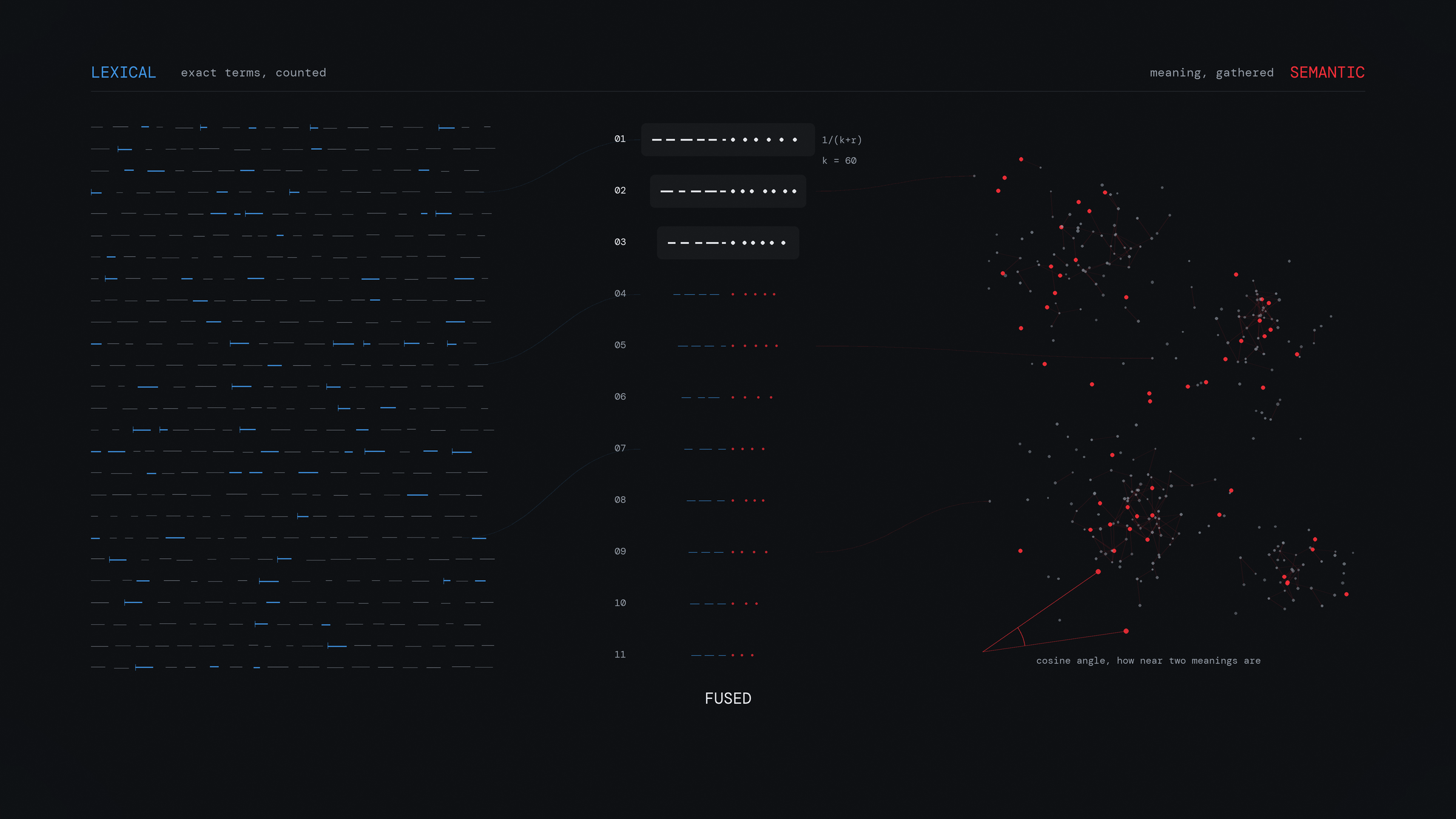
A search box looks like a single feature, although the engine behind it ranks results with one of three patterns. Some engines match the exact words that you type, while others match what you mean even when you reach for different words. The engines in a third group blend the two approaches. Whether your users ever reach the right answer usually depends on which of the three patterns your engine uses.
The gap between a question and its answer
Suppose that a company handbook has a page with the title 'Paid leave policy'. When an employee opens the search box and types 'how many days off do I get', none of the words in that query appear in the title of the page with the answer. Each of the patterns in this article is a different strategy for closing the gap between the words that people type and the words in the documents.
Researchers who study retrieval call that gap the lexical gap. It is the difference between the words that a user puts into a query and the words with the same meaning in the document with the answer. The authors of a 2025 survey of retrieval architectures identify the lexical gap as the central weakness of systems that match on terms alone. You close that gap in a different way with each of the patterns below.
Keyword search
In keyword search, which people also call lexical or full-text search, the engine matches the literal terms of your query against the literal terms in your documents. It is the method behind the search box in your email client, the search in your code editor, and many of the site search boxes that you use during a normal week.
An index that works like the back of a book
The data structure underneath it is called the inverted index. The engine stores each word together with a list of the documents that contain it, in the way that the index at the back of a book lists every page on which a term appears. When the engine looks up 'refund', it makes a single dictionary lookup and gets back a ready-made list of the documents that match. That single lookup is why keyword search stays fast even when the collection grows to millions of documents. The engine uses the same structure for the keyword side of the hybrid pattern, which I describe later in this article.
How the best match gets to the top
The engine finds the documents that match with one dictionary lookup, while it puts the best of them first by scoring every matching document against the rest under a scoring rule. The ranking function that most engines use is called BM25, which the authors of the 2025 survey above still treat as the standard lexical baseline against which researchers measure every other method. The BM25 formula combines three ideas.
- Rare words count for more. If you search a company handbook for 'annual refund policy', nearly every page matches 'annual', so you learn almost nothing from that match. Only a few pages contain 'refund', however, which makes that match a strong clue. BM25 therefore weights each word by how uncommon it is across the whole collection. That weight is called inverse document frequency.
- Repetition raises the score, although each repetition adds less than the one before. A page that contains 'refund' five times is a better bet than a page that contains it once; a page that contains it fifty times, however, is barely better than the page with five, because the score climbs quickly at first and then flattens out.
- Long documents score lower. A page of 10,000 words matches almost any search, in the way that a whole newspaper matches more searches than a single headline does. BM25 compares the length of each page against the average for the collection and trims the scores of the long ones. A short and focused page therefore comes out ahead when the rest of the score is close.
Each of those last two ideas has a tuning constant of its own, which is k1 for repetition and b for length.
Why to set b between 0.5 and 0.8
With the b constant, which ranges from 0 to 1, you set how hard the engine penalises a long document. At 0, the
engine leaves length out of the score and scores a rambling page of 10,000 words on equal terms with a focused
one-paragraph answer. At 1, the engine applies the full penalty, even to the pages that are long only because their
subject is large. With a value between 0.5 and 0.8, the engine applies most of the penalty while a thorough page can
still score well, which is why I set the default in Narsil to 0.75.
How the engine still returns the right page for a typo
Plain keyword matching returns nothing for a typo such as 'refnud', since no document contains that word. The repair for that is fuzzy matching, in which the engine also matches any term within a small Levenshtein edit distance of the one that you type. That distance is the number of single-character insertions, deletions, and substitutions that it takes to turn one word into another. Some engines also count the swapping of two adjacent letters as a single edit. Since 'refnud' is one such swap away from 'refund', an engine that counts swaps returns every document that contains the real word for a search with the typo at a distance of one, whereas an engine that counts only insertions, deletions, and substitutions returns them only at a distance of two.
Where keyword search is strong and where it is weak
Keyword search is precise, fast, cheap, and easy to reason about, which usually makes it the strongest option that you have when your users query with exact tokens such as a product code, an error number, or a person's name. Its weakness is the lexical gap from the opening example, where the 'Paid leave policy' page scores nothing for the employee who asks about 'days off', although the answer is in the handbook the whole time.
In the demo below, I apply the ranking from above to six pages of a handbook, so that you can see that strength and that weakness together. Try each of the searches, and watch which words the engine marks and which page the engine ranks first.
- 1
Public holidays
0.74The office closes on national public holidays, and the days are listed each January.
- 2
Expense refunds
0.74Submit receipts within 30 days and the refund arrives with the next payroll run.
- 3
Paid leave policy
0.56Every employee receives 25 days of paid annual leave each year, in addition to the public holiday calendar, and part-time staff receive a pro-rata amount.
- 4
Parental leave
no matchNew parents can take up to 18 weeks of parental leave at full pay.
- 5
Remote work
no matchYou can work from anywhere for up to six weeks a year with approval from your manager.
- 6
Building access
no matchYour badge opens the office between 07:00 and 22:00 on weekdays.
Vector search
With vector search, you close the lexical gap directly, since the engine matches on meaning in place of spelling.
Turning meaning into numbers
The idea underneath it is called the embedding. A machine-learning model takes a piece of text and converts its meaning into a list of numbers, usually several hundred or several thousand of them. That list of numbers is called a vector. Two texts that mean similar things end up with similar vectors, which is why 'days off', 'paid leave', and 'annual holiday' are all close together in this numeric space although they have no words in common. When you search, the engine embeds your query in the same way and returns the documents whose vectors are nearest to it.
The engine measures 'nearest' with one of three metrics. The usual choice is cosine similarity, which is the cosine of the angle between two vectors, while the dot product and Euclidean distance are the common alternatives. Measure with the metric that the model's makers trained it on.
Finding neighbours fast
Comparing a query against millions of vectors one at a time is far too slow, which is why search engines in production build an approximate nearest neighbour index. With an index of that kind, you give up a small amount of accuracy in return for the ability to search a high-dimensional space at scale. The structure that most engines use is HNSW, a multi-layer graph that its authors published in 2016. Its search cost grows logarithmically, which means that when you double the size of the collection, the search takes roughly one extra step. The engine finds a vector in that graph in the way that you find an address on a map, where you follow the motorways to the right city, the main roads to the right district, and the small streets to the door itself. In the upper layers of the graph, the engine makes big jumps towards the right region of the space, while in the lower layers it takes the small steps that end at the closest vectors.
Where vector search is strong and where it is weak
With vector search, the engine matches paraphrases, synonyms, and the vague or conversational queries on which keyword search scores nothing. It has two weaknesses to know about before you rely on it.
The first is that it matches exact tokens poorly. In a retrieval study that Microsoft published in 2023, pure vector search scores 11.7 on a standard relevance measure () for keyword-style queries, while keyword search scores 79.2 on the same queries. An embedding model represents the meaning of a text, but an exact string such as 'SKU-1187-B' has little meaning for it to represent.
The second is that an embedding model scores worse on data that differs from the data that its makers trained it on. The authors of the BEIR benchmark paper, who test retrieval systems across 18 diverse datasets, find that can score worse on a domain outside their training data, and conclude that plain BM25 remains a strong baseline. Since a vector model is strong on data close to its training set and weaker on anything further away, test one on your own before you trust it.
In the demo below, I place the same six handbook pages as points on a map of meaning. Pick one of the searches and see where it appears on the map. The query about 'days off' ends up beside the paid leave page although it shares no words with that page, whereas in the keyword demo the engine ranks the paid leave page badly for that same search.
Hybrid search
Since the two patterns fail in opposite ways, the obvious move is to use both of them and merge what they return. That combination is called hybrid search. For a single query, the engine returns the results of the vector side's semantic matching and the keyword side's precise word matching in one ranked list.
How the engine merges the two lists
Keyword scores and vector scores are on different scales, so you cannot add one to the other directly. A keyword score of 12 and a vector similarity of 0.83 are measures of different quantities, in the way that a sprinter's finishing time and a gymnast's score are, which means that their sum is of no use to you. In the merging method that most engines use, called Reciprocal Rank Fusion, the engine discards the raw scores and keeps only the finishing positions. The authors of a 2023 analysis of fusion functions for hybrid retrieval examine it as the standard rank-based approach.
The engine scores the two lists in the way that a judge scores a two-event competition. Each of the searches produces its own ranked list. The engine then gives every document points from each list according to its position in that list, under the formula 1 / (k + r), where r is the rank of the document in that list and k is a constant that defaults to 60. The top position is worth the most points, while each position below it is worth slightly fewer than the one above. A document that both searches rank highly therefore gains points from both lists and comes out at the top of the merged list, while a document that only one of them ranks highly still appears, further down. The main alternative to this method is a weighted blend of , in which you use a single parameter to move the mix from pure keyword to pure vector.
Why k defaults to 60
With the constant k, you set how much more the top position is worth than the positions below it. At k = 0, the top position scores 1 while the second scores 0.5. The top pick of one list then has double the points of its runner-up and can outweigh everything that the other search returns. At k = 60, the top position scores 1/61 while the tenth scores 1/70, a gap of about 13 per cent. A document therefore has to rank well on both lists to come out at the top of the merged list. The value of 60 comes from trial and error in the original evaluation of the method, although engine authors still use it as the convention.
The numbers from Microsoft's study
In the study that I cite earlier, Microsoft's researchers measure all three of the patterns across a range of query types and score relevance as nDCG@3, on which a higher number is better.
| Query type | Keyword | Vector | Hybrid |
|---|---|---|---|
| Concept-seeking queries | 39.0 | 45.8 | 46.3 |
| Exact snippet search | 51.1 | 41.5 | 51.0 |
| Keyword-style queries | 79.2 | 11.7 | 61.0 |
| Queries with misspellings | 28.8 | 39.1 | 40.6 |
| Long queries | 42.7 | 41.6 | 48.1 |
Two results in that table are worth your attention. Hybrid search is the best or nearly the best pattern on almost every row, which is why it is the sensible default for anything that a user touches. It also has one clear weak spot, since it scores 61.0 on pure keyword-style queries, well below the 79.2 that keyword search reaches. That drop happens because, when the engine merges in a poor vector ranking, a keyword result that is already right falls down the list. The next pattern is what you can use to close that gap.
Before you move on, you can try the fusion for yourself. In the demo below, I place the keyword ranking and the semantic ranking from the two earlier demos side by side and merge them by position. Move the slider to change how much each of the two sides counts, and watch the page that both sides rank highly come out first.
50% keyword / 50% semantic
Keyword ranking
- 1Public holidays
- 2Expense refunds
- 3Paid leave policy
- 4Parental leave
- 5Remote work
- 6Building access
Fused ranking
- 1
Public holidays
high in bothkeyword rank 1 + semantic rank 2
- 2
Paid leave policy
high in bothkeyword rank 3 + semantic rank 1
- 3
Expense refunds
keyword rank 2 + semantic rank 5
- 4
Parental leave
keyword rank 4 + semantic rank 3
- 5
Remote work
keyword rank 5 + semantic rank 4
- 6
Building access
keyword rank 6 + semantic rank 6
Semantic ranking
- 1Paid leave policy
- 2Public holidays
- 3Parental leave
- 4Remote work
- 5Expense refunds
- 6Building access
Re-ranking
Every pattern so far is for the first pass over millions of documents, where you have to approximate because the search has to be fast. With re-ranking, you add a second pass on top of that. You retrieve a generous set of candidates with one of the fast methods, and then you re-score only those candidates with a slower and more accurate model. Only after that second pass does your application return the top few of them to a user or pass them to an AI system.
The accurate model is usually a cross-encoder. It takes the query and one candidate document together and scores how well the two of them match. The authors of the sentence-transformers documentation state the trade-off plainly, which is that a cross-encoder scores better than an embedding model but works far too slowly to cover a whole collection. They therefore recommend that you retrieve roughly the top 100 candidates cheaply and re-rank only those. Microsoft's researchers measure a similar arrangement in the study above, in which Azure AI Search's semantic ranker re-ranks the top 50 results with deep-learning models adapted from Bing. When they add that ranker on top of hybrid retrieval, the score on the keyword-style row rises from 61.0 to 66.9, while the score on the misspellings row rises from 40.6 to 54.6. On the keyword-style row, the re-ranker therefore makes up 5.9 of the 18.2 points by which hybrid search trails keyword search.
How to add a re-ranker in your own code
Narsil, the engine that I describe at the end of this article, has no re-ranker of its own, so you write the second pass yourself once Narsil returns the candidates. In the example below, I split that work across three files. handbook.ts holds 24 passages from a company handbook. In reranker.ts, you load a cross-encoder once and score the candidates in batches of 32, while in search.ts you ask Narsil for up to 100 hybrid candidates for each question and then re-rank them. Beside each question, you also record the id of the passage with the answer to it, so that you can see where that passage ranks before and after the second pass.
Install Narsil, its Transformers.js adapter, and Transformers.js itself.
pnpm add -E @delali/narsil @delali/narsil-embeddings-transformers @huggingface/transformersTransformers.js downloads the embedding model and the cross-encoder the first time that your code uses them. It then loads both models into your own process, so you need no API key for either of them. You ask Narsil for 100 candidates because that is the depth that the sentence-transformers authors recommend, although here Narsil returns all 24 passages, because that is every passage in the handbook. Save the three files in one folder, and start search.ts with Node.js 24, which strips the types out of a TypeScript file on its own.
import { createNarsil } from '@delali/narsil'
import { createTransformersEmbedding } from '@delali/narsil-embeddings-transformers'
import { HANDBOOK, type HandbookPassage } from './handbook.ts'
import { rerank, shutdownReranker } from './reranker.ts'

const CANDIDATES_TO_RERANK = 100
const PASSAGES_FOR_THE_PROMPT = 3

const narsil = await createNarsil({
  embedding: createTransformersEmbedding({ dimensions: 384 }),
})

await narsil.createIndex('handbook', {
  schema: { title: 'string', text: 'string', embedding: 'vector[384]' },
  embedding: { fields: { embedding: ['title', 'text'] } },
})

const loaded = await narsil.insertBatch('handbook', HANDBOOK)
if (loaded.failed.length > 0) {
  throw new Error(`The handbook failed to load: ${loaded.failed.map(({ docId }) => docId).join(', ')}`)
}

interface JudgedQuestion {
  question: string
  answer: string
}

interface HandbookSearch {
  question: string
  hybrid: string[]
  reranked: string[]
  answerPosition: { hybrid: number | null; reranked: number | null }
}

const positionOf = (answer: string, ids: string[]): number | null => {
  const index = ids.indexOf(answer)
  return index === -1 ? null : index + 1
}

const searchHandbook = async ({ question, answer }: JudgedQuestion): Promise<HandbookSearch> => {
  const candidates = await narsil.query<HandbookPassage>('handbook', {
    mode: 'hybrid',
    term: question,
    vector: { field: 'embedding', text: question },
    limit: CANDIDATES_TO_RERANK,
    document: { include: ['title', 'text'] },
  })
  const reranked = await rerank(question, candidates.hits, (hit) => `${hit.document.title}. ${hit.document.text}`)
  const hybridIds = candidates.hits.map((hit) => hit.id)
  const rerankedIds = reranked.map(({ item }) => item.id)
  return {
    question,
    hybrid: hybridIds.slice(0, PASSAGES_FOR_THE_PROMPT),
    reranked: rerankedIds.slice(0, PASSAGES_FOR_THE_PROMPT),
    answerPosition: { hybrid: positionOf(answer, hybridIds), reranked: positionOf(answer, rerankedIds) },
  }
}

const judgedQuestions: JudgedQuestion[] = [
  { question: 'how many days off do I get', answer: 'annual-leave' },
  { question: "what happens to holiday I don't use", answer: 'carrying-leave-over' },
  { question: 'when do I need a sick note', answer: 'sick-leave' },
]

const results: HandbookSearch[] = []
for (const judged of judgedQuestions) {
  results.push(await searchHandbook(judged))
}

console.log(JSON.stringify(results, null, 2))

await shutdownReranker()
await narsil.shutdown()[
{
"question": "how many days off do I get",
"hybrid": [
"office-days",
"carrying-leave-over",
"buying-leave"
],
"reranked": [
"carrying-leave-over",
"bereavement-leave",
"annual-leave"
],
"answerPosition": {
"hybrid": 8,
"reranked": 3
}
},
{
"question": "what happens to holiday I don't use",
"hybrid": [
"public-holidays",
"annual-leave",
"carrying-leave-over"
],
"reranked": [
"public-holidays",
"carrying-leave-over",
"annual-leave"
],
"answerPosition": {
"hybrid": 3,
"reranked": 2
}
},
{
"question": "when do I need a sick note",
"hybrid": [
"sick-leave",
"sick-pay",
"carrying-leave-over"
],
"reranked": [
"sick-leave",
"sick-pay",
"bereavement-leave"
],
"answerPosition": {
"hybrid": 1,
"reranked": 1
}
}
]For 'how many days off do I get', Narsil ranks the annual leave passage eighth, while the cross-encoder moves it up to third, into the three passages that you send to a model under PASSAGES_FOR_THE_PROMPT. For the question about unused holiday, the cross-encoder moves the carry-over passage from third to second. For the sick note, Narsil and the cross-encoder both rank the right passage first. The cross-encoder still ranks the carry-over passage above the annual leave passage for the first question, so a re-ranker can improve the order without making it right every time. Before you send the re-ranked passages to your users or to an AI system, measure the change on a labelled set of your own questions, such as the judgedQuestions list in search.ts.
Filters and facets
One more pattern is worth a mention here, because you meet it in the checkboxes and dropdowns beside the results on an e-commerce site. With those controls, which add no score of their own, the engine cuts down the result set either before or after it ranks the results. Nielsen Norman Group draws the distinction between filters and facets in these terms: a filter excludes the items in a set that fail certain criteria, while faceted navigation provides several filters, one for each aspect of the content. On a clothing site, those aspects are brand, size, colour, and price. You can combine facets with any of the patterns above, since a shopper still needs a size filter on a hybrid search for 'lightweight rain jacket' before they can use the results.
One engine for keyword, vector, and hybrid search
You can build these patterns out of separate systems, with a keyword engine on one side, a vector database on the other, and your own code in the middle to merge what each of them returns. That split is my reason for building Narsil, an open-source distributed search engine in which keyword, vector, and hybrid search, along with filters and facets, are each one setting on a single query API.
Each pattern works in Narsil in the following way.
- In full-text search, the engine scores with BM25 and supports field boosting, fuzzy matching through bounded Levenshtein distance (the same edit-distance idea that I describe earlier), and match thresholds. Its ranking is within 0.006 nDCG@10 of the published Anserini baseline on two BEIR datasets, because I calibrate the lexical side against that academic standard.
- In vector search, the engine compares
vector[N]fields by cosine similarity, dot product, or Euclidean distance. While a field holds fewer than 1,024 vectors, a count that you can change, the engine performs an exact brute-force scan over them. Once the field reaches that count, the engine builds an HNSW graph in the background and switches to approximate search, in which it ranks the candidates by a compact code for each vector, through optimised scalar quantisation, before it re-scores the nearest of them against the full vectors. - In hybrid search, the engine performs both retrievals inside one query and fuses the two rankings through reciprocal rank fusion or a weighted blend, which you can tune per query. Embedding adapters turn text into vectors automatically on insert and on query, through OpenAI-compatible APIs, local Transformers.js models, or an adapter that you write yourself.
- You can combine filters and facets with any query mode, alongside sorting, grouping, highlighting, and cursor pagination.
- Narsil has no re-ranker of its own, so you re-rank its results in your own code, as I do in the example under Re-ranking.
The same engine works in either of two settings. You can embed it in your own application process, where a query completes without a network hop, or you can operate it as a standalone server with a REST API, a write-ahead log, and bulk import. On the public BEIR SciFact dataset, its keyword search has the top nDCG@10 among the keyword engines, at 0.6814, narrowly ahead of Elasticsearch and OpenSearch on 0.6789. It also processes 4,200 keyword queries a second against 3,027 for OpenSearch and 2,796 for Elasticsearch, which is 39 to 50 per cent more. On the benchmarks page, I publish the method along with the steps to reproduce it. You can try it in your browser or start with the documentation.
Choosing a pattern
Because you can combine the patterns, you can adopt them one at a time, in this order.
- Start with keyword search when your users query with exact identifiers, when your budget is small, or when you need a result that you can explain, since BM25 remains a strong baseline even against trained models.
- Add vector search once your users describe what they want in their own words and you can point to searches that fail across the lexical gap.
- Blend the two with hybrid fusion as your default for anything that a user touches, because it scores well across the widest range of query types.
- Add a re-ranker when the top three results matter more to you than the top thirty, which is usually the case once you send those results to the context window of an AI system.
You can change any of these choices later. You can measure rank quality with a labelled set of real queries, which means that you can introduce each pattern in turn, measure whether your numbers improve with it, and keep it only where they do.
Test your choices on new cases
The quiz below holds situations beyond the examples in this article, so that you can check whether you can choose the right pattern and predict how each one ranks the results.
Updates
In the version of 24 June 2026, I write under the map of meaning that each search comes out nearest to its page even when the two share no words. I now write that only for a search and a page that share no words, such as 'how many days off do I get' and 'Paid leave policy'.
Go to this section: Where vector search is strong and where it is weak